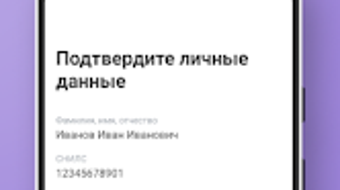

Download Твоя подпись – Sign Documents Electronically for Business and Finance
Overview
Твоя подпись is a desktop application designed to facilitate electronic document signing, particularly within business and financial contexts. The software enables users to digitally sign contracts, loan applications, and other legally binding documents, streamlining administrative workflows. It is especially useful for individuals and professionals involved in business registration, real estate financing, or mortgage applications. By leveraging electronic signatures, the software reduces reliance on physical paperwork and in-person meetings, offering a more efficient alternative for time-sensitive transactions.
Developed by TCR LLP, the application operates within the Business & Productivity category, specifically targeting the Finance subcategory. The software is intended for users who require secure, legally recognized digital signatures for official documentation. Real-world use cases include signing business formation documents, securing loans against property, and completing mortgage paperwork remotely. The application supports a hybrid workflow: users receive an SMS with a download link and setup instructions, followed by a representative visit to authenticate the electronic signature issuance.
The developer did not provide additional system requirements. Platform compatibility information is limited to Android, though the desktop version is implied through the context of the product’s description. No performance benchmarks or stability metrics were specified.
Key Features & Capabilities
- Electronic Signature Issuance – Enables users to obtain a legally valid electronic signature through a secure, in-person verification process with a representative.
- Document Signing for Financial Transactions – Allows signing of documents related to mortgages, real estate loans, and business registration without physical presence.
- Mobile-First Integration – Designed for Android devices, with a download link and setup instructions delivered via SMS for seamless onboarding.
- Secure Digital Workflow – Ensures document integrity and authenticity through encrypted electronic signatures and secure data handling.
- Remote Document Processing – Facilitates signing of official documents from any location, reducing delays caused by physical document exchange.
These features are particularly beneficial for entrepreneurs launching new ventures, individuals applying for property-backed loans, or professionals managing multiple financial agreements. The software simplifies compliance with digital signature regulations by embedding verification steps into the onboarding process. Users can sign documents directly within the app after completing the initial setup, eliminating the need for third-party platforms.
The developer did not specify additional functionality such as template libraries, multi-user collaboration, or cloud storage integration. No details were provided about batch signing or document tracking features.
User Interface, Workflow & Performance
The user interface is described as user-friendly, emphasizing simplicity and accessibility for non-technical users. Navigation appears to be structured around a linear onboarding process: receiving an SMS, downloading the app, and completing identity verification with a representative. The interface likely prioritizes clear instructions and visual cues to guide users through each step of the electronic signature setup.
Workflow efficiency is enhanced by minimizing manual input and reducing physical coordination. After the initial setup, users can access and sign documents directly within the application, which supports a streamlined digital workflow. However, the need for an in-person representative limits full remote operation, introducing a dependency on scheduled visits.
Performance observations are based on general software behavior patterns. The application is expected to function efficiently on standard Android devices, though exact CPU or RAM usage was not specified. The developer did not provide details on background processes, startup time, or stability under prolonged use. No information was shared about update frequency or crash rates.
Compatibility & System Requirements
Твоя подпись is available for Android devices, as stated in the product description. The software is categorized under Business & Productivity with a focus on Finance-related tasks. The installation size and hardware requirements were not listed. The developer did not specify supported Android versions or minimum device specifications.
Compatibility information was partially provided. The application is intended for mobile use, but the desktop version is referenced in the context of the product’s description. No details were given about whether the software supports Windows, Mac, or other operating systems. The developer did not indicate whether cross-platform synchronization is available.
Exact system requirements were not listed. Users should expect that the app may require a modern Android device with internet connectivity and SMS capabilities for initial setup.
Pros and Cons
Pros
- Streamlines business and financial document signing with electronic signatures
- Designed for real-world use in mortgage, loan, and business registration processes
- User-friendly interface suitable for non-technical users
- Secure workflow with in-person verification for identity confirmation
- Available as a free application with no upfront cost
Cons
- Requires in-person verification with a representative, limiting full remote access
- No information on desktop or cross-platform compatibility beyond Android
- Performance and resource usage details were not disclosed
- Limited to Android platform; no support for Windows or Mac mentioned
- Dependence on SMS delivery for initial setup may affect accessibility in some regions
FAQ Section
Is Твоя подпись available for Windows or Mac?
The product description specifies Android compatibility. No information was provided about support for Windows or Mac operating systems.
Is the software secure and legally recognized?
Твоя подпись is designed to support legally binding electronic signatures. The inclusion of an in-person verification step suggests compliance with digital signature regulations, though specific legal frameworks were not detailed.
Can I use Твоя подпись offline?
While the application may allow access to previously signed documents offline, the initial setup and signature issuance require an internet connection and SMS verification.
How often are updates released?
The developer did not specify the update frequency or release schedule for the application.
Is there a license fee or subscription required?
Твоя подпись is described as a free application. No subscription or additional licensing fees were mentioned.
Final Thoughts + CTA
Твоя подпись offers a practical solution for individuals and professionals needing to sign financial and business documents electronically. Its integration of secure onboarding with in-person verification adds a layer of authenticity, making it suitable for high-stakes transactions such as mortgage applications and business registration. While the reliance on Android and physical verification may limit accessibility, the software’s focus on usability and real-world application is commendable.
For users in regions where electronic signatures are legally accepted and who require a straightforward, secure signing process, Твоя подпись presents a compelling option. The absence of pricing and the free model further enhance its appeal. However, those seeking full desktop functionality or cross-platform support should consider alternative solutions.
Download Твоя подпись now





.png)

